

RELATED PRODUCTS
MORE INFO
Try Net.Time live User Interface
ALBEDO invites you to explore the Net.Time PTP/NTP/PRP precision timing clock via your browser. This demo enables engineers to test IEEE 1588 configurations, GNSS inputs, time references, and multi-protocol workflows with a click.
MIAMI, DEC 5th, 2025
The Net.Time web user interface (UI) is original, clean, visually appealing, and fast. It is designed for engineers in the utility, telecommunications, transportation, and defense industries who don’t have time to deal with endless command lines or complicated management structures. Launch the demo, click the block diagram, and see why Net.Time is called the most user-friendly network clock by so many customers.

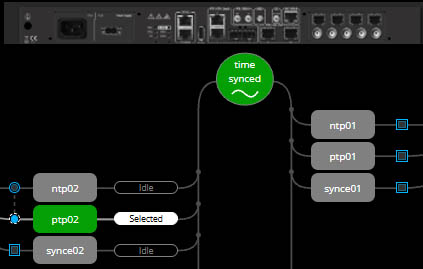
Fig 1. Click any interface to configure or monitor it.
Launch the Live demo
You are about to connect to a real Net.Time via your internet browser. Due to several users accessing the UI simultaneously, there may be congestion, so that the main dashboard may take up to one minute to load.
Please be patient!
· URL: http://ntime.albedotelecom.com
· user: albedo
· pass: atslatsl
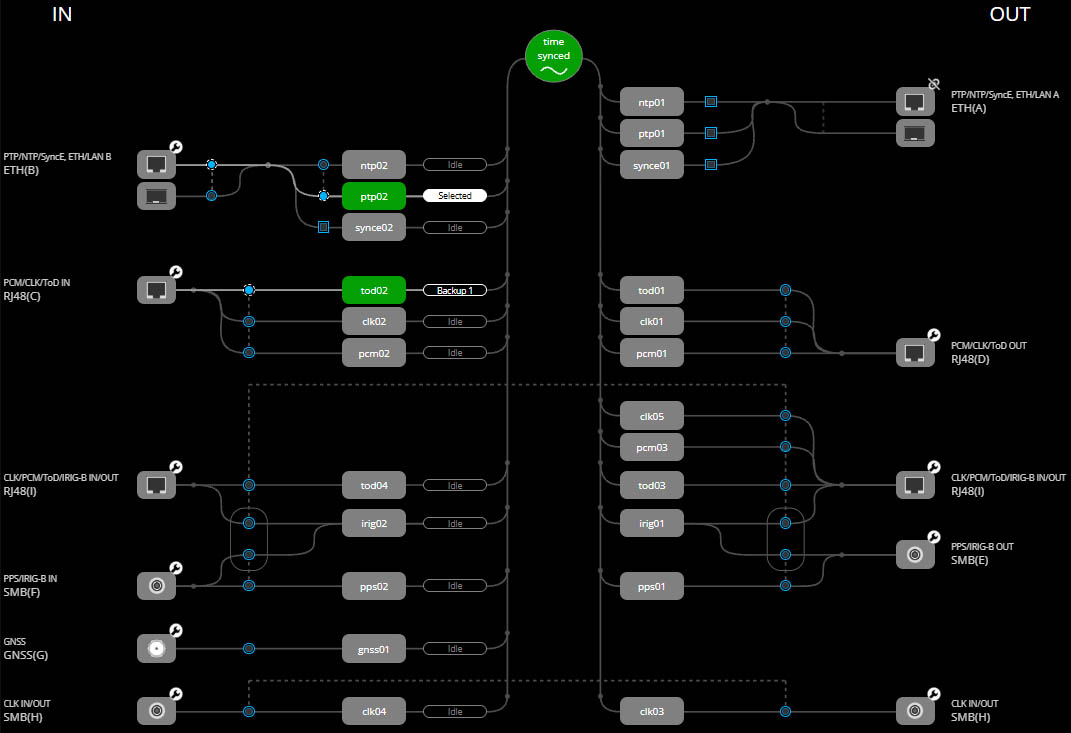
Fig 2. Live Dashboard: Inputs, outputs, and synchronization state at a glance.
Why we’re offering a Live demo
Let’s be honest. Traditionally, configuring timing gears has been painful. With nested menus, obscure CLI commands, outdated Java applets, and web pages that refresh constantly, it’s no wonder people have struggled.
Engineers want to have a clear view of all time references, as well as outputs and results. Configuration and monitoring to be intuitive, without having to reread manuals and memorize long commands with multiple attributes… all we did was listen to them.

Fig 3. Management and control menu.
What makes it different from other Clocks?
This is not a screenshot gallery. This is a real, live signal-flow map connected to an actual Net.Time unit:
- Visual Block Diagram. All time reference interfaces appear on the left (IN) and the timing outputs on the right (OUT).
- Click-to-Route Logic. Select a reference, adjust priorities, and map outputs — no CLI memorization.
- Multi-Protocol Awareness. Monitor and configure PTP, NTP, SyncE, IRIG-B, PPS, ToD, and more from a single panel.
- Real-Time Status & Alarms. Instant visibility of lock state, GNSS quality, PTP GM/BC/OC roles, counters, oscillator health, and alarms.
- Remote-Friendly. Runs on any browser, no plug-ins, responsive layout for laptops & tablets on remote sites.
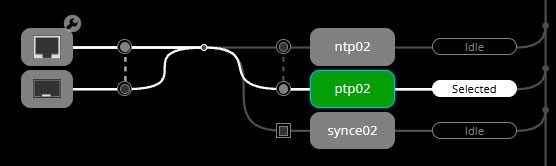
Fig 4. Time reference selection in one click.
What You Can Do in the Demo
Mind that on the other side there is a real Net.Time clock then…
- Check sync status: is the oscillator locked? Which input is active?
- Change reference priorities; promote a backup PTP or GNSS source
- Enable/disable outputs and observe real state transitions
- Inspect PTP performance in real time
- Review alarms, event logs, and GNSS metrics
- Export / import configurations
- Simulate failures: force reference drops and watch automatic switchover
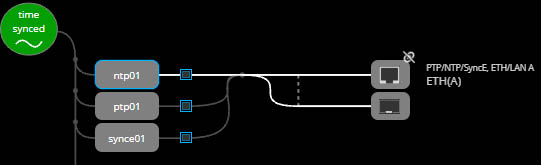
Fig 5. Configure the Protocol Outputs.
Key features engineers appreciate
- Visual signal path to eliminate guesswork
- Support for both legacy and next-generation timing protocols
- Priority-based automatic switchover
- Combined GNSS + Packet Timing for resilience against jamming/spoofing
The Net.Time Philosophy
Many legacy timing platforms either hide essential functions behind deep menu trees or require a command-line interface (CLI) for anything advanced. They also depend on proprietary applications that security teams refuse to install. Net.Time takes the opposite approach.
Everything critical is visible, clickable, and contextual.
This reduces training time, prevents configuration errors, and accelerates acceptance testing—all of which are crucial for large-scale deployments in utilities, telecommunications networks, transportation systems, and defense infrastructure.
Security & Demo Safeguards
The public demo runs in a controlled environment:
- Configurations reset automatically
- Some critical functions may be restricted
- Logging data is anonymized
- No production traffic is exposed
- For a private evaluation instance, contact us below
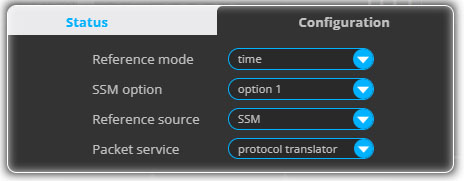
Fig 6. Configuration pop up.
Contact us
Request a private evaluation of our PTP Grandmaster and NTP Server platforms.
<sales@albedotelecom.com>
<support@albedotelecom.com>